Capture invoices without typing them
LIMMOBI reads your supplier invoices and extracts more than payment details. It suggests the supplier, property and ledger account for each invoice. You review and confirm the proposed accounting entry, then continue with payment and bank reconciliation.
From the invoice to the payment in one continuous workflow
- 01
Upload the invoice
Upload a PDF or send the invoice to LIMMOBI straight from your scanner.
- 02
Analyse automatically
LIMMOBI recognises invoice data, vendor, property and ledger account and suggests an accounting entry.
- 03
Review the proposal
You check the recognised details and confirm the accounting entry.
- 04
Pay the invoice
The payment data is already there. In a few clicks you send the payment to your bank.
- 05
Bank reconciliation
Automatic bank reconciliation matches the outgoing payment to the invoice and marks the invoice as paid.
- 06
Keep everything linked
Invoice, accounting entry and payment details stay linked and digitally available.
LIMMOBI recognises more than payment data
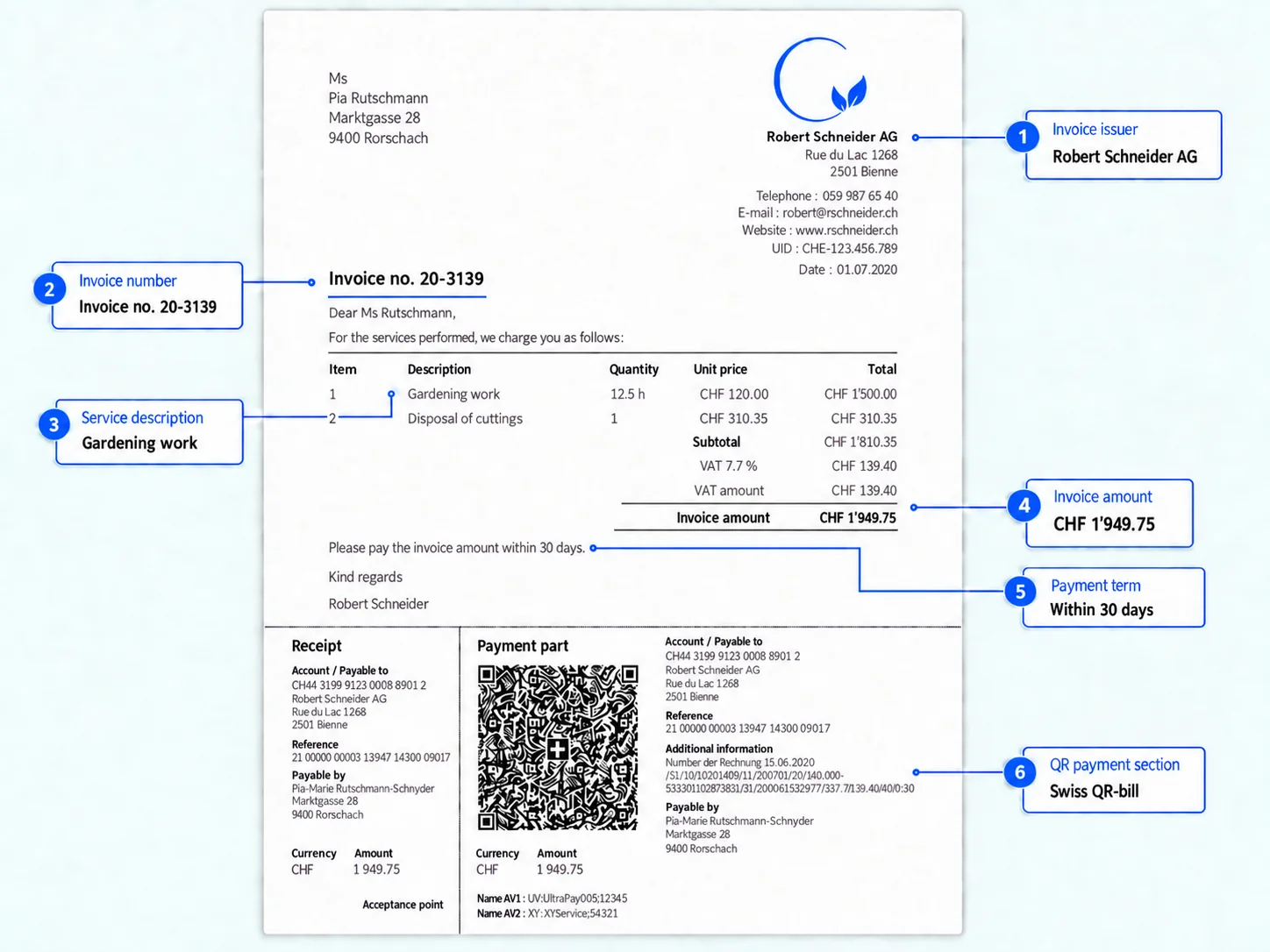
Invoice
- Supplier
- Invoice number
- Due date
- Payment details
Accounting
- Property concerned
- Type of goods or service
- Matching ledger account
Billing
- Quantities, for example for fuel deliveries
Capture invoices once, prepare cost statements faster
Each confirmed invoice is assigned to a property and cost type. When you prepare a heating and ancillary cost statement or a condominium operating cost statement, the relevant costs are already available. For fuel deliveries, LIMMOBI also recognises the delivered volume alongside the amount and supplier.
Ready to simplify your property management?
Try LIMMOBI for free, with no obligation. All you need is a browser.