Software for ancillary cost billing in Switzerland
LIMMOBI collects the running costs of your property throughout the year. To bill them, you allocate the costs to your tenants using the stored distribution keys and create the finished heating and ancillary cost statement in a few clicks.
LIMMOBI supports consumption-based energy and water cost billing following the VEWA model of the Swiss Federal Office of Energy.
What LIMMOBI does for you
- Automatic capture of vendor invoices as the basis for the statement
- Flexible allocation of costs according to defined keys or meters
- Special treatment of heating, water, cooling and electricity costs
- Optional automatic dispatch to tenants by email or postal mail
 View the example PDF
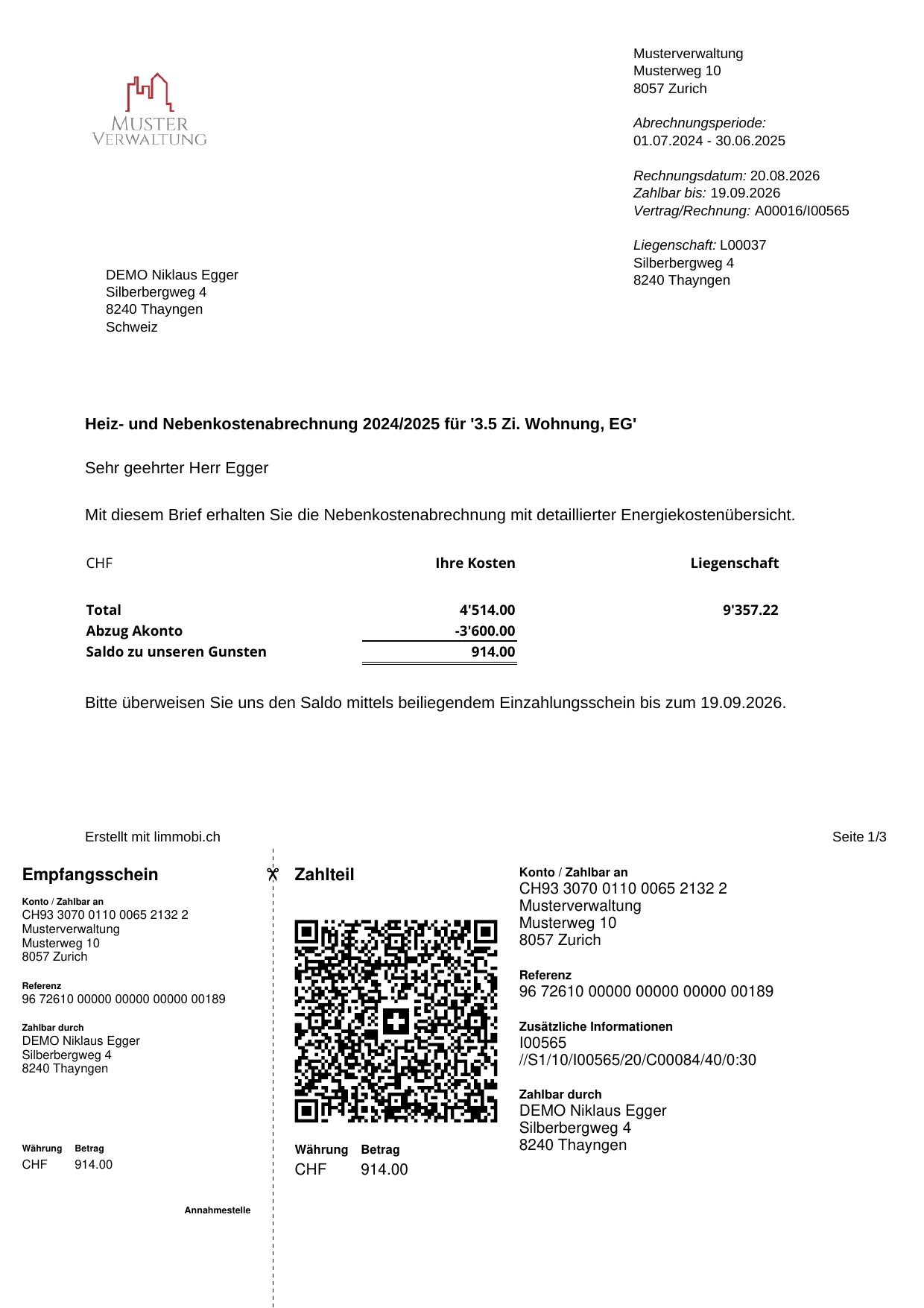
Example statement
This is what a finished ancillary cost statement from LIMMOBI looks like.
View the example PDFEverything you need for heating and ancillary cost billing
Collect costs automatically during the year
Vendor invoices are assigned to the right property and cost type as soon as they are booked.
Allocate costs flexibly
Allocate costs by living space, units, consumption, individual distribution keys, days of use, fixed cost shares or meter readings.
Bill heating and hot water costs
LIMMOBI supports complex allocation keys for heating, heating-related ancillary costs and hot water, allowing even most sophisticated allocation methods to be modelled.
Handle tenant changes correctly
If a tenant changes during the billing period, LIMMOBI takes the respective period of use into account when allocating costs.
Take heating degree days into account
Standard heating degree day tables are built in, and you can define your own tables as well.
Calculate heating energy costs transparently
For storable energy sources LIMMOBI takes opening stock, purchases and closing stock into account. The actual consumption of the billing period is derived from this using the FIFO method and split between space heating and hot water.
Offset advance payments
The advance payments made are set against the actual costs and the balance is shown automatically.
Automatic accruals
Recurring annual accruals are configured once and then taken into account automatically.
Send the statement directly
LIMMOBI creates the individual PDF statement for every tenant and, on request, sends it directly by email or post.
From the invoice to reconciled tenant payment
- 01
Capture the vendor invoice
LIMMOBI reads incoming invoices automatically and assigns them to the right property and cost type.
- 02
Book costs continuously
Confirmed invoices are booked straight into the property accounts and are therefore already available for the later ancillary cost statement.
- 03
Allocate costs automatically
At the end of the billing period LIMMOBI allocates the costs incurred to the individual rental units using the stored distribution keys.
- 04
Offset advance payments
The advance payments made during the year are taken into account automatically and offset against the tenant's actual share of costs.
- 05
Create the ancillary cost statement
LIMMOBI creates a traceable statement for every tenant with their share of costs, advance payments and the resulting balance.
- 06
Create a QR bill for balances due
If a balance is due, the statement includes a Swiss QR bill for the outstanding amount.
- 07
Check incoming payments automatically
Through the bank connection, LIMMOBI identifies incoming payments and automatically matches them to outstanding balances from ancillary cost statements.
Traceable statements avoid queries and disputes
Tenants scrutinise ancillary cost statements closely. Unclear cost items, incorrect distribution keys or calculations that are difficult to follow can quickly lead to queries and corrections. LIMMOBI helps you allocate costs transparently and create traceable statements.
A statement the tenant can understand
The statement shows not only the amount due, but also how the costs are made up, the tenant's own share, the property as a whole and, on request, the comparison with the previous year.
From the statement straight to the receipt
The costs in the ancillary cost statement come from the ongoing property accounts. The underlying vendor invoices stay digitally linked to the accounting entry.
Ready to simplify your property management?
Try LIMMOBI for free, with no obligation. All you need is a browser.